

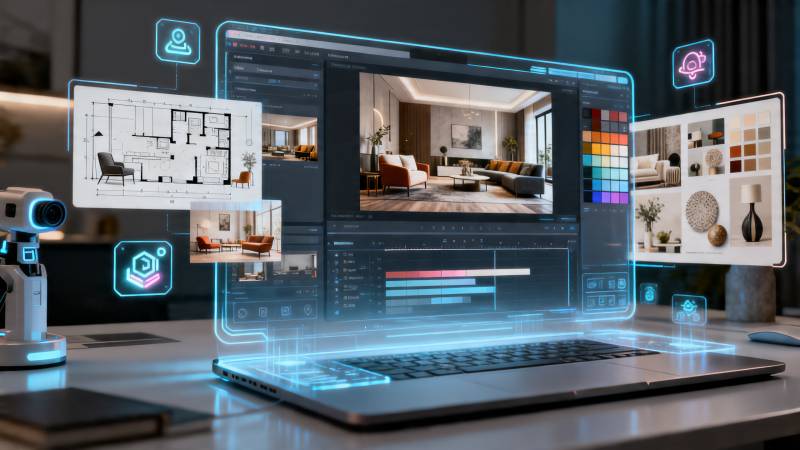
A creatively designed home takes more than just pictures! If you have redesigned a bedroom, renovated a living room, or created a completely new interior design for your apartment, then it’s time to create a reveal video (to showcase these amazing designs!). The best thing is that you do not have to spend hours shooting video to create your own reveal video.
Dreamina's Seedance 2.5 model allows you to take your photos of home interior design ideas and turn them into professional-looking cinematic reveal videos with the help of AI technology. Dreamina can help you with this process by providing you with the color palettes, pieces of furniture, and decorations that you have chosen for your design project. You will no longer need to use cameras to create your own reveal videos!
Reveal the secrets of your interiors
The key point about a successful interior reveal video is not only showing off a newly designed room, but also creating some suspense.
Instead of revealing everything at once, gradually introduce all elements of the room and its design. Start with small details and move on to wider shots to reveal the whole picture.
You could showcase things like:
• Statement furniture pieces
• Decorative shelving and artwork
• Lighting fixtures
• Reading nooks
• Interior designs completed
The gradual build-up will make the ultimate reveal much more enjoyable.
Show the essence of your design
Each home is unique due to the people living there. You need to show the viewer not only how the interior is designed but also how it feels.
A minimalist office will be designed focusing on simple shapes and natural light, whereas a rustic living room will highlight warmth and cozy colors. Children's rooms, high-class interiors, or even decoration for any season are just a few examples of interior styles you could design.
Rather than simply showing objects around, try to arrange them in a way that would help viewers see the feeling that they create. They will feel like they really were in your created interior.
How Seedance 2.5 makes interior design reveal videos better
Seedance 2.5 streamlines interior visualization by merging prompts, room images, and reference materials into a unified multi-modal workflow. This helps maintain strong consistency across different spaces, ensuring that lighting, materials, colors, and decorative elements stay coherent throughout the entire reveal sequence.
With improved tone and style consistency, transitions between rooms feel more natural and harmonious, making the overall video more polished and realistic. The upgraded generation length (up to 30 seconds in a single pass) also allows creators to showcase a complete room reveal process without fragmentation.
In addition, localized precision editing enables quick adjustments to specific areas—such as furniture placement or lighting details—without disrupting the overall scene, giving creators more control and flexibility in producing refined interior walkthrough videos.
Make every renovation unforgettable
No matter how small or big your decoration project is, room reveal videos give your audience an opportunity to admire the renovation of your space in a more immersive way.
Instead of presenting just before-and-after images, think about the special elements that make your room unique.
Here are some creative room reveal ideas for you:
• Seasonal home design
• Renovation of an apartment
• Bedroom makeovers
• Changes in kitchen décor
• Nook decoration
These types of room reveal videos will help you generate new content and celebrate your different decorating ideas.
Design your story with Dreamina
Step 1: Launch Dreamina Seedance 2.5
Launch Dreamina and select Seedance 2.5 AI Video Generator. This will give you access directly to the original model for creating quality AI videos based on text, pictures, and references.
Step 2: Write your prompt and references
Write down all information about your scene, subject, motion, camera work, and the mood you want to get. Upload pictures or any reference materials if you need to influence character, product, style, or video creation at all.
Example of the prompt: Create a revealing video of home decor. Make a cinematic reveal of living room decoration. Use interior pictures with elegant camera work, natural light, smooth transitions, stylish furniture, and decor.
Step 3: Create, improve, and save
Tap on Generate and allow Dreamina Seedance 2.5 to convert your vision into an AI movie. Improve your prompt or references if necessary, and save your movie for social media, advertisement, product presentation, or any other creative task.
Include movements that aid the reveal
When making a video on home décor, ensure that the final product is neat, organized and deliberate. Simple movement will help to show the viewers around the room while at the same time enhancing the décor.
Camera push-ins, slow pans and transitions may be used to transition from one section of the room to the next. These movements will help to highlight the textures, depths and layout of the room while making the reveal look very artistic.
Different speeds of the movements may also be included to add an element of suspense to the video. From the start of the film, close-ups such as cushions, vases and art on the walls may be used before transitioning to wide shots.
Plan the reveal for social posting
After you have made your video, think about how it is going to be seen. Depending on the social platform used, a certain format, duration, or visual emphasis may be required.
Vertical is good for short videos, while a horizontal one could be better for web-based platforms or for use during presentations. A good idea would be to have an engaging opening and ending for your video.
Adding a caption describing the transformation or explaining the source of inspiration for your design may help your viewer relate to your video.
Create a portfolio of beautiful rooms
If you're an interior designer, home stylist, content creator, or just a decorator, then room reveal videos become a wonderful way to build a portfolio of your work.
With time, every room that you decorated will turn into a part of your visual portfolio. Instead of creating photo galleries, use cinematic storytelling to leave your impression on every project you've done.
These videos can be used on social networks, personal websites, for presentations, and even for showcasing to clients. Each new video will be an opportunity for you to show your sense of design and motivate others to change something in their living space.
Make your dream spaces come alive with Dreamina
Every interior project has its own unique tale of creativity, preparation, and style. Dreamina lets you share all those tales without ever having to get behind a camera, through cinematic reveal videos made from your interior photos.
Using Seedance 2.5, you can take your inspiration, ideas, and completed designs and turn them into impressive visual stories that will wow viewers.